Get launch updates

We’ll email you when AntiqueHub opens to more malls.

Join the waitlist

Point of sale & operations for antique malls

See how your
mall is doing
from anywhere.

Check sales and register issues from your phone, ring up mixed-vendor sales on iPad, and see how each vendor’s payout adds up.

AntiqueHub Owner Overview on desktop and phone
Cloud-basedAccess your information from anywhere.

See AntiqueHub in action

Follow a sale
through the mall.

A sample sale shows what the cashier, owner, and vendor each need to see.

Checkout

Ring up a mixed basket.

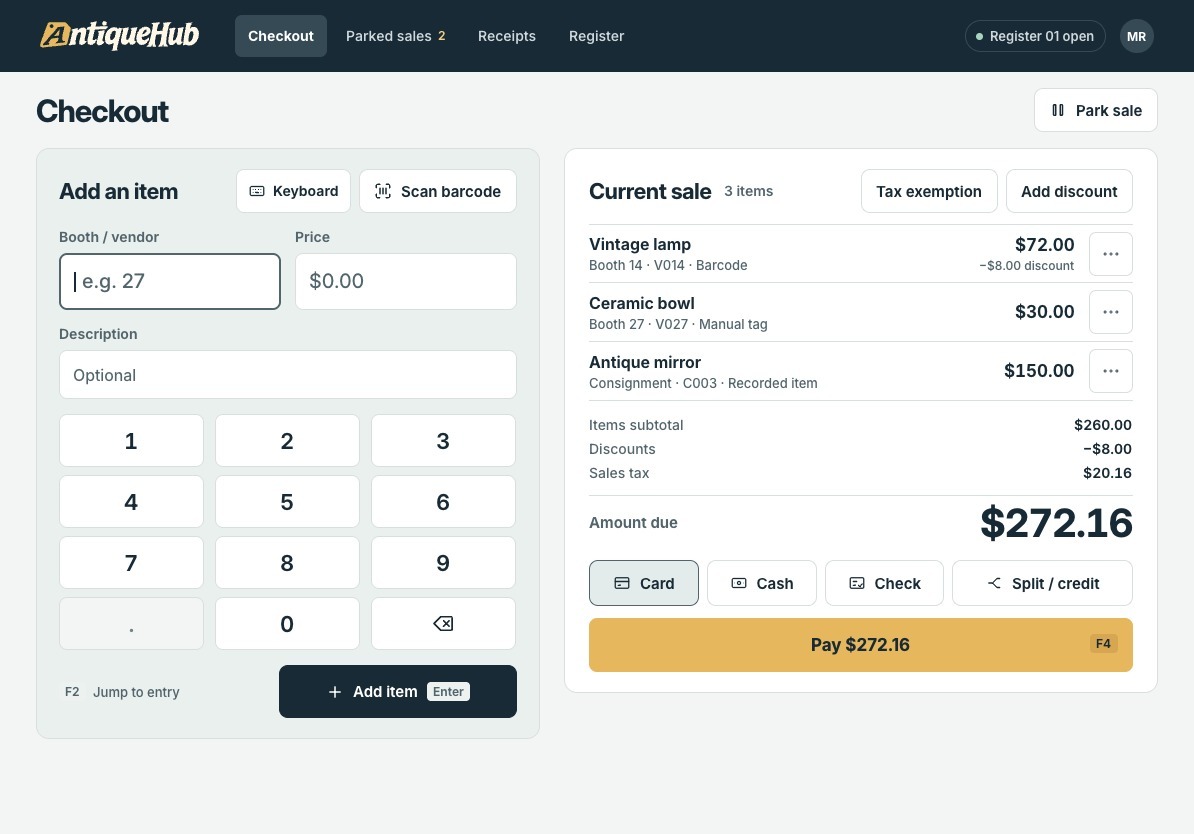
Enter a booth number and price from a handwritten tag, or scan a barcode. The cashier can ring up the Booth 14 lamp and the Booth 27 bowl together on one receipt.

Enter a booth and price from a handwritten tag or scan a barcode. Both vendors’ items go on one receipt.
AntiqueHub checkout showing items from multiple vendors in one basket
The $72 lamp is assigned to Booth 14 in the basket.

Owner overview

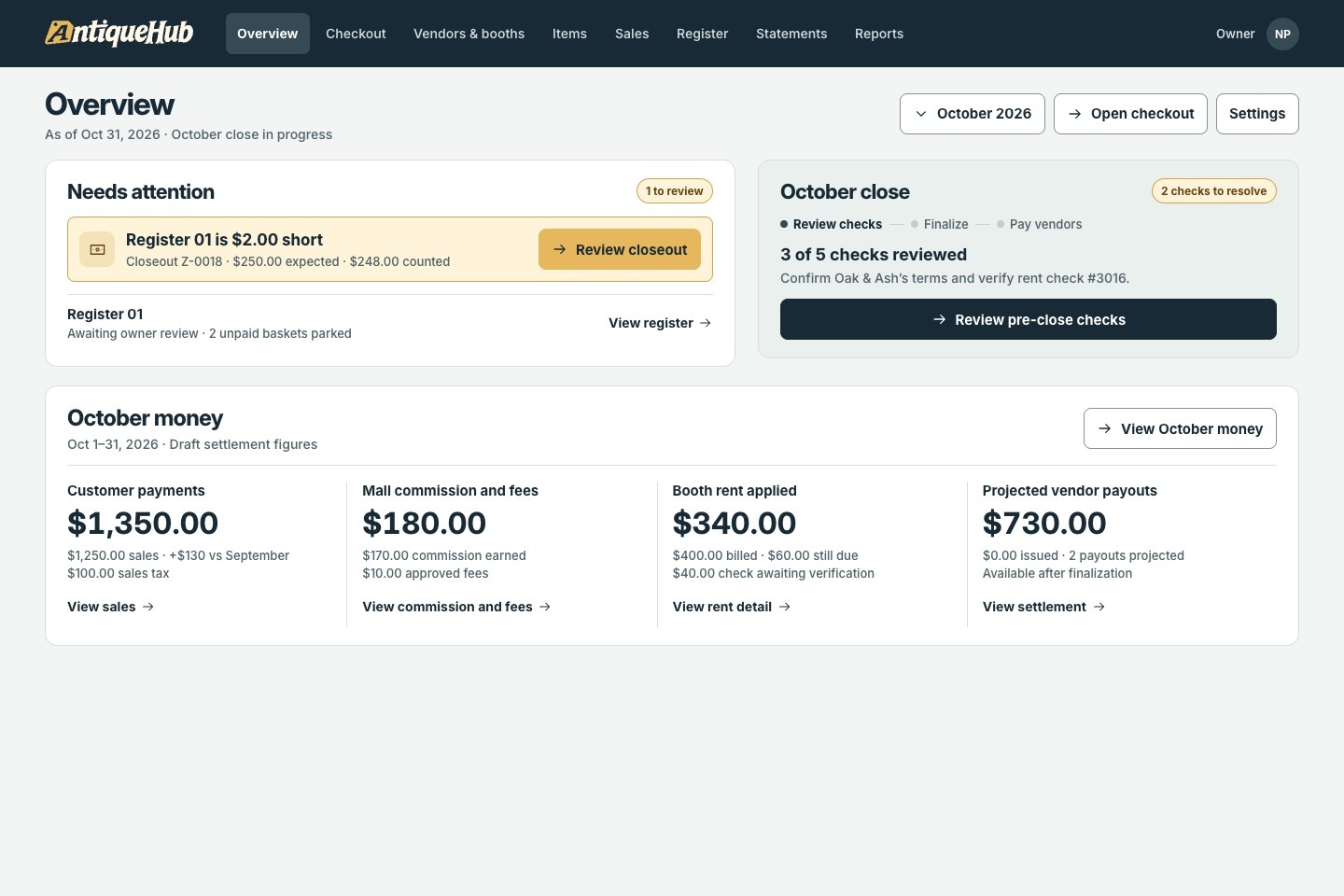
See what needs attention.

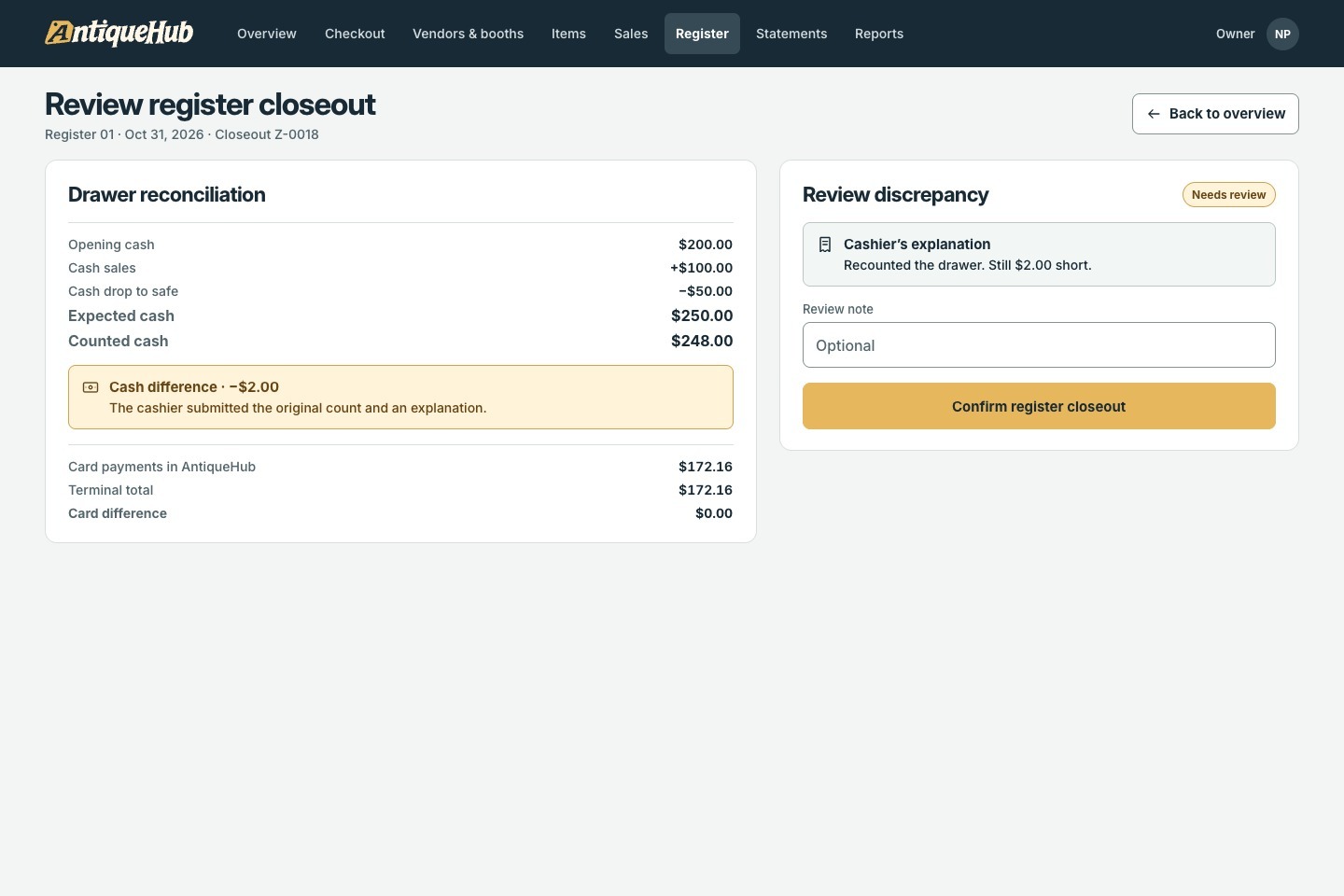
Check sales and close progress from your phone or desktop. If a drawer is short, open the closeout and compare expected cash with the amount staff counted.

Open a drawer discrepancy and compare expected cash with the amount staff counted.

Register closeout showing expected cash, counted cash, and a two-dollar discrepancy
The owner can investigate a $2 drawer discrepancy.

Month-end

See how each
payout adds up.
See the payout breakdown.

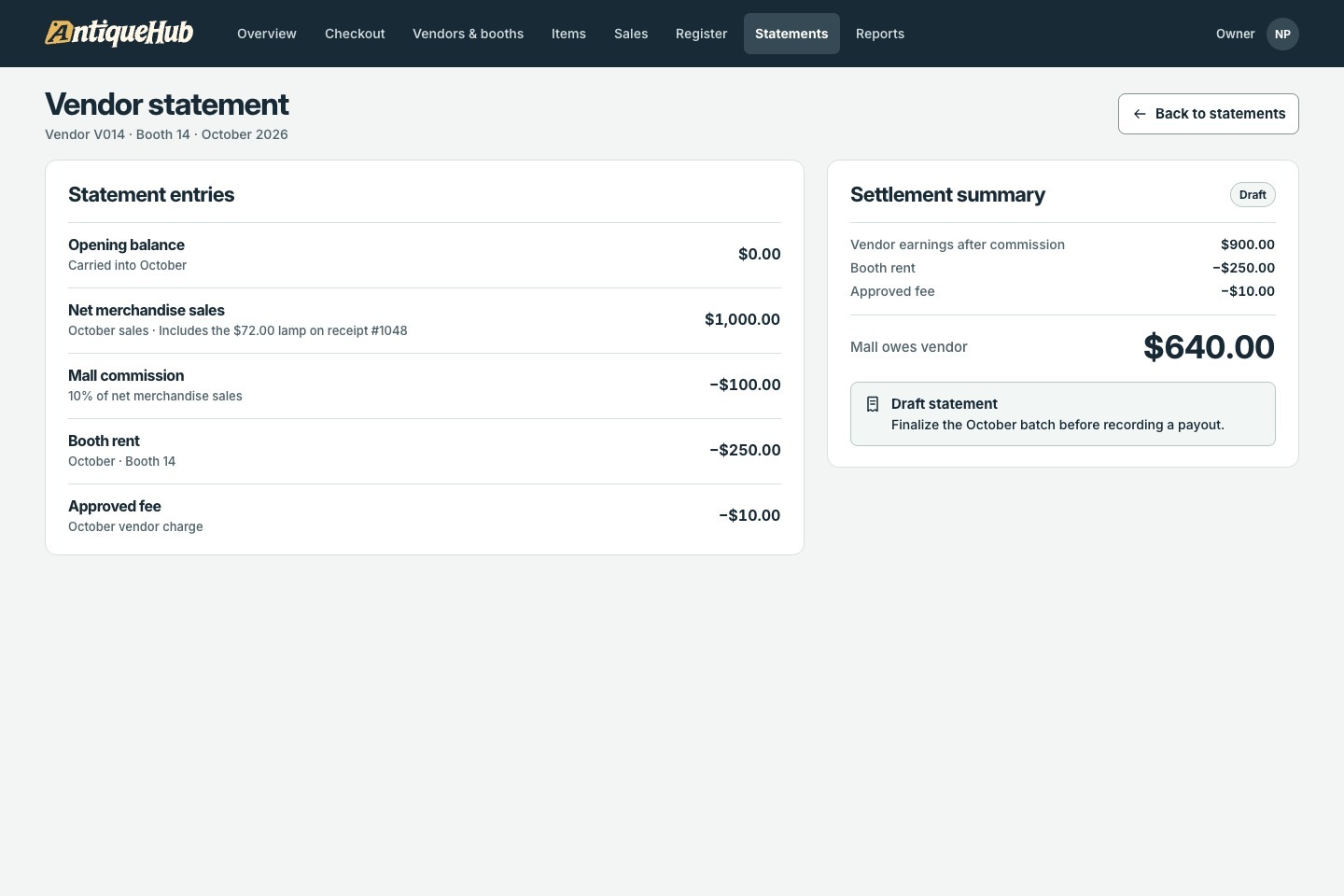
Follow the Booth 14 lamp into its vendor’s draft statement. Review sales, commission, rent, and any fees before you finalize the statement and record the payout.

Follow the Booth 14 lamp into its draft statement and review commission, rent, and fees.

Draft vendor statement showing sales, commission, and payout
The statement includes the $72 lamp from receipt #1048.

Features

Explore what
we’re building.

See the tools that take your mall from checkout to month-end.

Checkout & register

A register built for
the booth system.

Ring up items from several vendors and keep the drawer and payments straight.

Checkout & register product preview
A barcode item, handwritten tag, and consignment item share one basket.
  • Tag entry and barcode lookupKey in a booth and price or scan a barcode.
  • Mixed-vendor and parked salesUse one receipt and resume held baskets.
  • Payments and receiptsHandle cash, card, check, or split tender.
  • Returns and overridesFind original sales for refunds and apply approved discounts or exemptions.
  • Register close and recoveryReconcile the drawer and review uncertain payments.
Checkout & registerTags, payments, and daily close.

Checkout & register

A register built for
the booth system.

Ring up items from several vendors and keep the drawer and payments straight.

Checkout & register product preview
A barcode item, handwritten tag, and consignment item share one basket.
  • Tag entry and barcode lookupKey in a booth and price or scan a barcode.
  • Mixed-vendor and parked salesUse one receipt and resume held baskets.
  • Payments and receiptsHandle cash, card, check, or split tender.
  • Returns and overridesFind original sales for refunds and apply approved discounts or exemptions.
  • Register close and recoveryReconcile the drawer and review uncertain payments.
Owner dashboard & reportingSales and exceptions, anywhere.

Owner dashboard & reporting

See what needs
your attention.

Keep up with sales, register issues, and the month-end close from your phone or desktop.

Owner dashboard & reporting product preview
Owner Overview shows drawer issues and month-end progress above the key totals.
  • Owner OverviewCheck sales, drawer and payment issues, and close progress.
  • Sales by booth or vendorDrill from totals into individual sale lines.
  • Compare periodsSee trends by month, day, or hour.
  • Bookkeeping exportsExport taxes, tenders, closeouts, and settlement records.
Vendors, booths & consignmentBooth assignments and terms.

Vendors, booths & consignment

Keep the floor and
vendor terms organized.

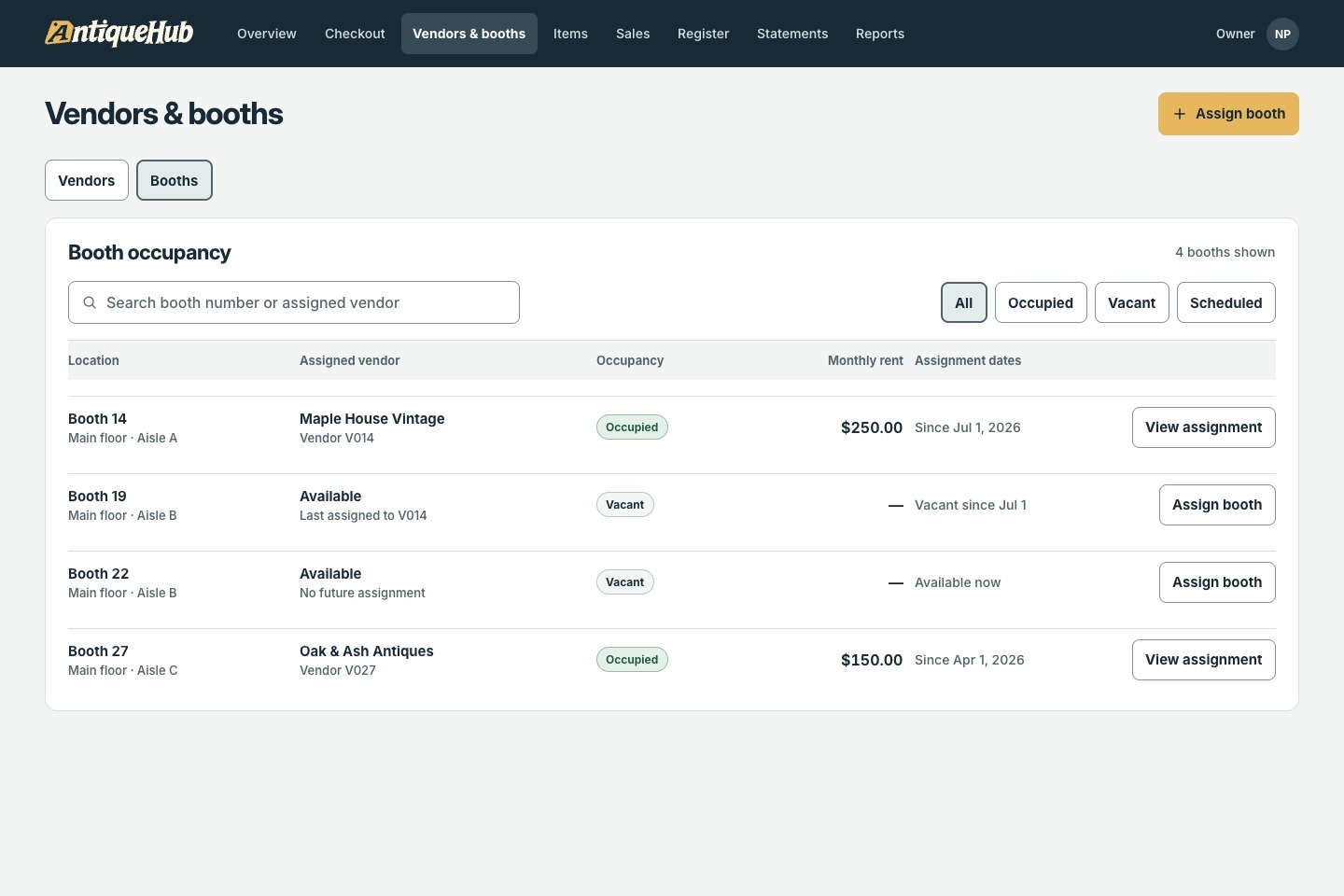
See who occupies each booth and keep vendor terms, items, and balances together.

Vendors, booths & consignment product preview
See occupied, vacant, and scheduled booths in one place.
  • Vendor accountsReview balances, sales, and account history.
  • Booth assignmentsTrack occupancy and schedule changes.
  • Rent and commissionsSet terms and track separate rent receipts.
  • Optional inventory and labelsTrack selected items and keep manual tags.
  • Consignment intakeRecord the owner, split, price, and item status.
Month-end & vendor payoutsStatements and payout tracking.

Month-end & vendor payouts

Know what goes
into each payout.

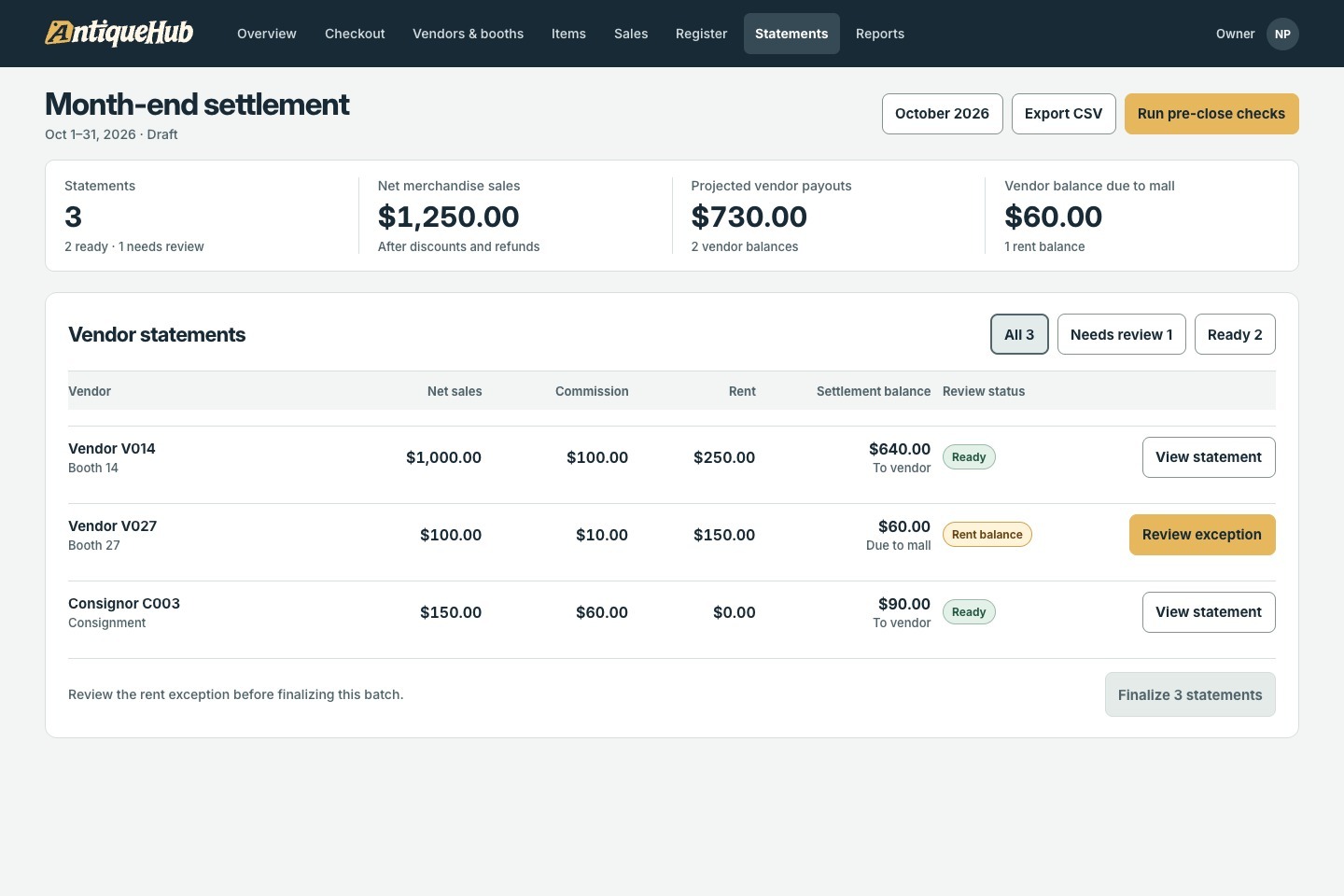
Review vendor statements together and see which balances need attention before you finalize the month.

Month-end & vendor payouts product preview
Two statements are ready. The batch flags a $60 rent balance for review.
  • Batch review and close checksResolve exceptions before finalizing.
  • Itemized vendor statementsSee rent, commissions, fees, and adjustments.
  • Rent and balance carryoversTrack separate rent payments and deductions.
  • Corrections and check trackingLink corrections to the original record.
Staff & settingsStaff access and register setup.

Staff & settings

Set up the register
for your team.

Give each team member access to the tools they need on a shared register.

Staff & settings product preview
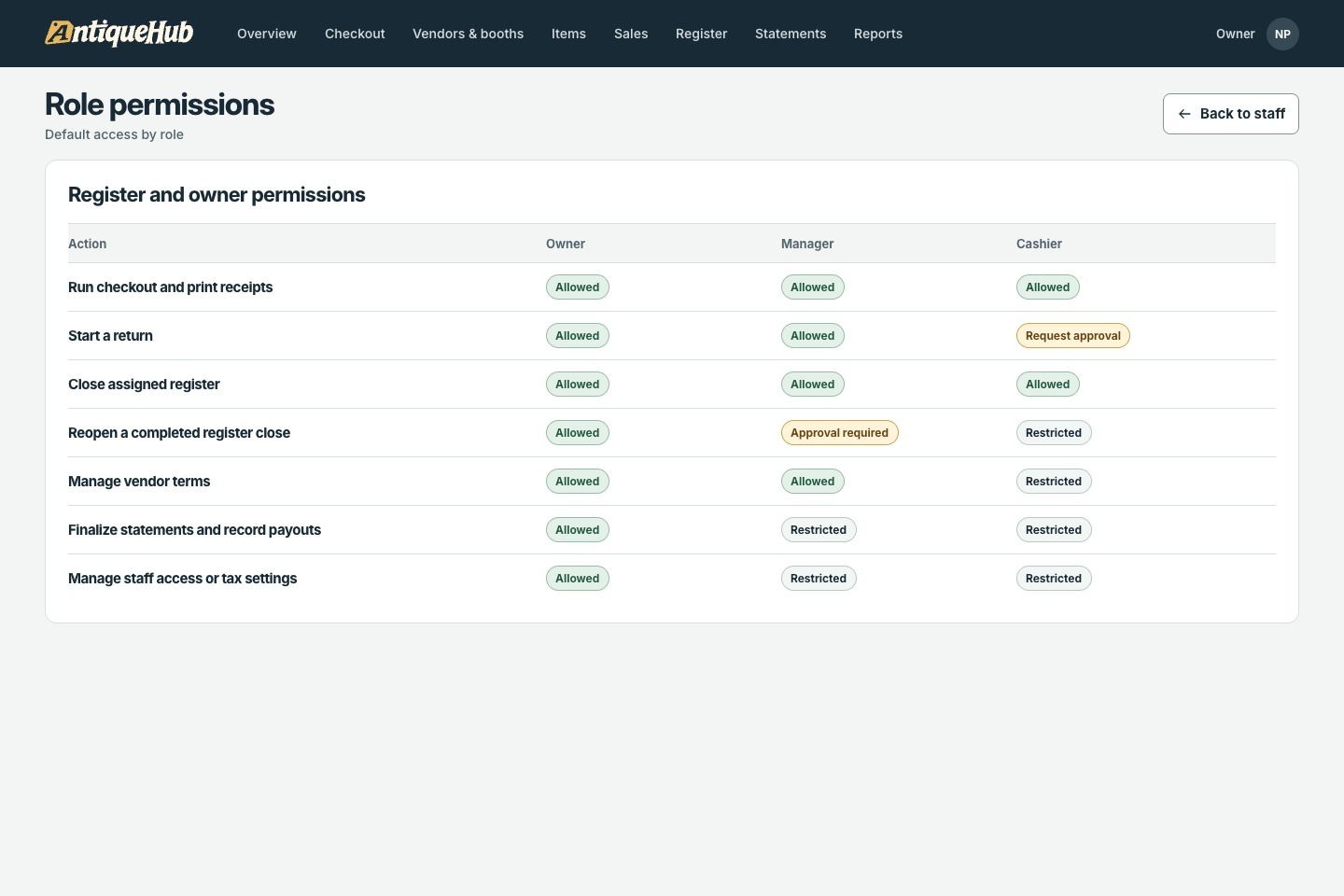
The role matrix shows which register and owner tasks each role can access.
  • Shared iPad accessSwitch cashiers on the same register.
  • Roles and permissionsSet access for owners, managers, and cashiers.
  • Manager approvalsControl overrides and reopening a closed drawer.
  • Tax and register settingsConfigure rates, exemptions, and printers.
Moving to AntiqueHubImports and opening balances.

Moving to AntiqueHub

Check opening records
before you switch.

Review the records your mall will rely on before switching systems.

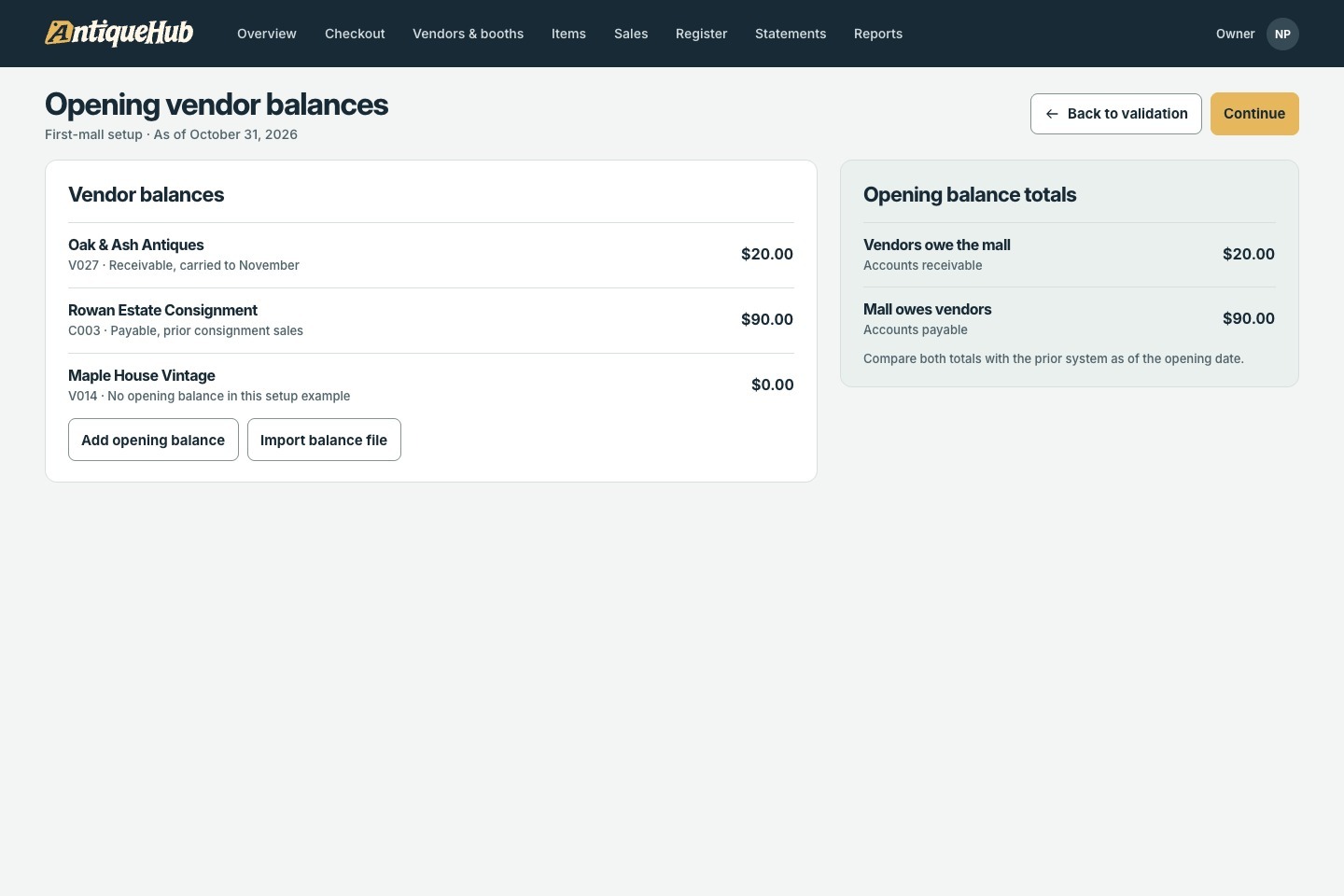
Moving to AntiqueHub product preview
Review opening vendor balances before confirming the import.
  • Vendor and booth importsMap files and review duplicate IDs or conflicts.
  • Opening balancesReconcile imported balances against the source.
  • Credits and open layawaysDocument outstanding credits, gift cards, and layaways.
  • Legacy sales and refundsVerify older receipts and link later refunds.

Feature comparison

AntiqueHub vs.
GoAntiquing!

AntiqueHub is being built so you can check on the mall from your phone or laptop while staff keeps using the register.

FeatureAntiqueHubPlannedGoAntiquing!
Core systemCloud-based checkout and owner toolsWindows desktop POS with optional cloud services
CheckoutTouch-first iPad register with handwritten tag entry, barcode scanning, and mixed-vendor basketsWindows register with manual item entry, barcode scanning, and split payments
Remote owner accessPhone and desktop dashboard for sales, register issues, and month-end reviewOnline sales reports through Dealer Gateway and closeout PDFs for designated admins with Gateway and Backup
Vendor settlementBatch review with flagged exceptions, itemized statements, and payout trackingSettlement module with dealer reports and check printing
Vendor self-servicePlanned for a later releaseOnline sales reporting and optional dealer-managed inventory

GoAntiquing! feature details come from its product overview.

Frequently asked
questions

Can I move my existing mall data into AntiqueHub?

We’re building tools to import vendor and booth records and review opening balances. What you can move depends on the files you can export.

Can I use my existing checkout equipment?

AntiqueHub is being built for iPad checkout. We’ll share supported iPad models, barcode scanners, receipt printers, and payment terminals as we confirm compatibility.

What happens when I join the waitlist?

You’ll get product updates and an email when AntiqueHub opens to more malls.

Join theAntiqueHubwaitlist.

Get product updates and hear when AntiqueHub opens to more malls.

Read our Privacy Policy

The waitlist will open soon.